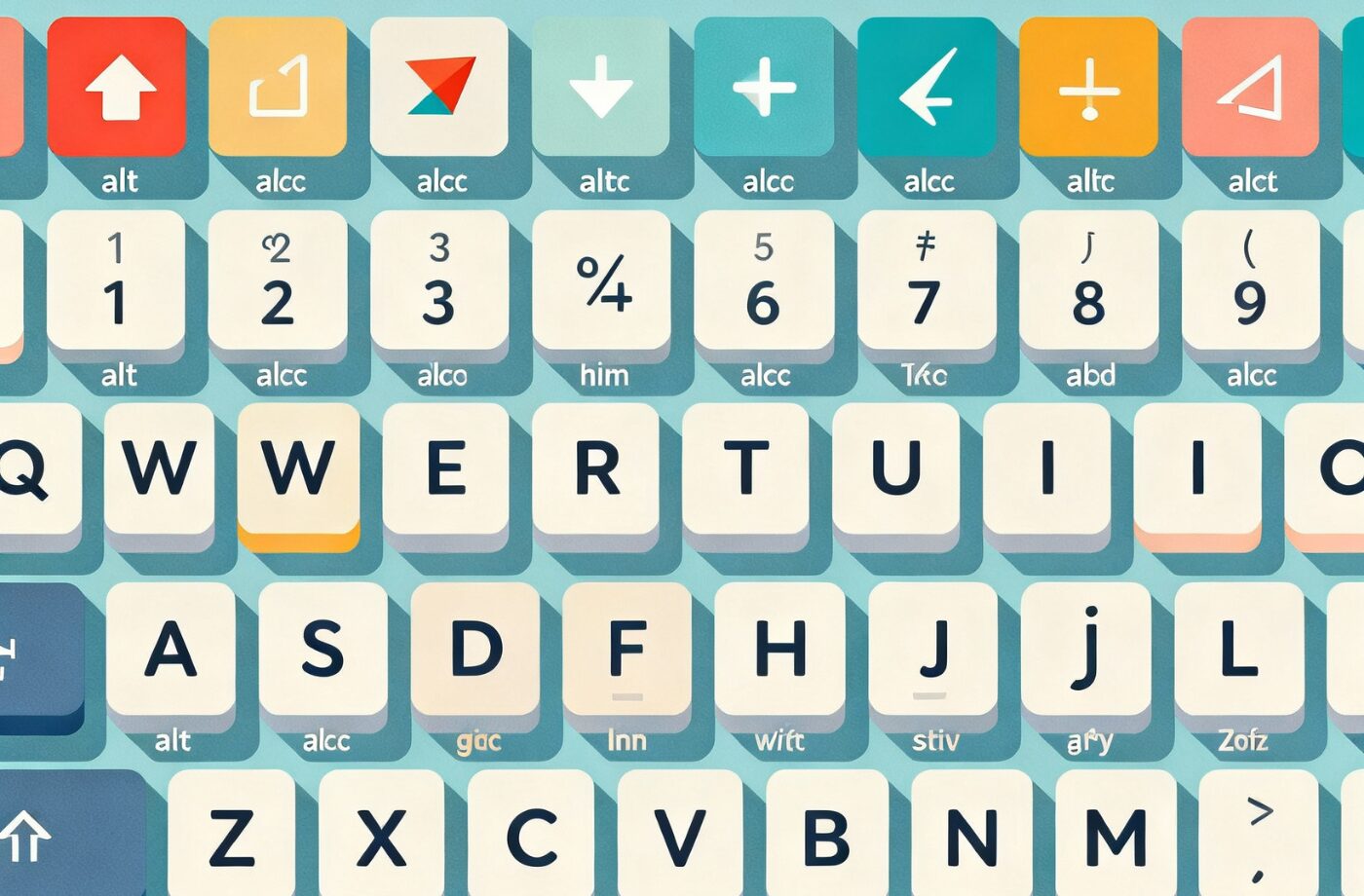
A special characters is any symbol on your keyboard that isn’t a number or a letter. Examples include currency symbols, accents, punctuation marks like the question mark, and formatting symbols such as paragraph marks. ASCII control characters also fall into this category. Essentially, any non-alphanumeric character is considered a special character.
Special symbol keys are usually located near the numeric keys on a keyboard. However, since there are hundreds of special characters, not all of them have dedicated keys. You can type additional symbols using an Alt code sequence by turning on Num Lock, holding the Alt key, and entering a specific number code.
Unlike regular letters and numbers, special characters are highly versatile. They are used in writing, coding, and mathematics. They’re also known as special symbols, special letters, or keyboard characters.
History of Special Characters
The origin of special characters varies. In ancient Greece, punctuation marks were introduced to separate ideas and clarify meaning. Over time, punctuation evolved to alter sentence tone and interpretation.
Characters like “@” and “&” originated from ligatures—combinations of two letters. For instance, the ampersand (&) comes from the Latin word et, meaning “and.”
How to Type Special Characters
The way you type a special character depends on which one it is. A standard U.S. QWERTY keyboard includes 32 special characters with dedicated keys. To type these, hold the Shift key and press the symbol’s key.
If the character isn’t on your keyboard, use an Alt code. Activate Num Lock, hold Alt, and type the numeric code assigned to that symbol.
Common special characters on a keyboard include:
| Character | Name | Description | Shortcut |
| ~ | Tilde | Used in Spanish as an accent mark | Shift + ` |
| ` | Grave accent | Common in French | ` |
| ! | Exclamation point | Indicates excitement or negation in logic | Shift + 1 |
| @ | At symbol | Used in emails and social media handles | Shift + 2 |
| # | Hash/Octothorpe | Denotes numbers or hashtags | Shift + 3 |
| $ | Dollar sign | Represents currency | Shift + 4 |
| % | Percent sign | Shows percentages | Shift + 5 |
| ^ | Caret | Denotes exponents in math | Shift + 6 |
| & | Ampersand | Means “and” | Shift + 7 |
| * | Asterisk | For multiplication, footnotes | Shift + 8 |
| ( ) | Parentheses | Enclose additional text | Shift + 9 / 0 |
| _ | Underscore | Alternative to space in filenames | Shift + – |
| + | Plus sign | For addition | Shift + = |
| = | Equal sign | Used in equations | = |
| { } | Braces | Used in programming | Shift + [ / ] |
| [ ] | Brackets | Used for grouping or intervals | [ / ] |
| | Vertical bar (pipe) | Used in coding for “or” operations |
| : | Colon | Separates protocol in URLs or introduces lists | Shift + ; |
| ; | Semicolon | Joins related sentences or completes instructions | ; |
| “ | Double quote | Indicates spoken or literal text | Shift + ‘ |
| ‘ | Apostrophe | Shows possession or contractions | ‘ |
| < > | Angle brackets | Represent value comparison | Shift + , / . |
| , | Comma | Separates list items or clauses | , |
| . | Period | Ends sentences or separates URLs | . |
| ? | Question mark | Ends interrogative sentences | Shift + / |
| / | Forward slash | Used in URLs, divisions, or paths | / |
Special Characters in Passwords
Special characters make passwords stronger and harder to guess. Because hackers often rely on predictable patterns or common words, using uncommon combinations improves account security. However, substituting letters with symbols in obvious ways (e.g., replacing “a” with “@”) is less effective today.
Special Character Software
Different operating systems provide tools and applications to help insert symbols unavailable on standard keyboards. These programs make complex characters easier to access, though compatibility may vary between apps.
Examples of popular character software include:
- PopChar
- BabelMap (Windows)
- Rocket (Mac)
- WinCompose
- Uosk
- Character Map UWP
- SymbSearch
- WizKey
Advanced Uses of Special Characters
In Coding and Programming
Special characters are essential components of most programming languages. They aren’t just decorative — they often perform specific logical or structural functions. For example, in HTML, the < and > characters define tags, while in CSS and JavaScript, {}, [], and () are used for grouping, arrays, and function calls.
In Python, special characters like # begin a comment, while in SQL, the semicolon ; marks the end of a statement. Programmers must understand these characters deeply since misusing even one can cause syntax errors or vulnerabilities.
Examples:
- Brackets [ ] – Used for arrays or indexing.
- Curly braces { } – Used to define code blocks.
- Parentheses ( ) – Used for grouping and function parameters.
- Quotation marks “ and ‘ – Used to define string literals.
- Backslash \ – Used for escape sequences like \n (new line).
In HTML and Web Design
In web design, some special characters need to be encoded to display correctly. For instance, the less-than sign < and greater-than sign > are reserved for HTML tags, so they must be written as < and > if you want to display them literally on a webpage.
Common HTML Entities:
| Symbol | HTML Code | Description |
| & | & | Ampersand |
| < | < | Less than |
| > | > | Greater than |
| © | © | Copyright |
| ® | ® | Registered trademark |
| € | € | Euro currency symbol |
| ™ | ™ | Trademark |
These encoded entities ensure that browsers interpret text correctly, avoiding misrendering or layout issues.
Special Characters in Social Media and Communication
Using Symbols for Emphasis and Creativity
Social media users often use special characters to make posts, bios, and comments stand out. Unique symbols such as stars (★), hearts (♥), and arrows (→) add personality and flair to messages.
Examples of Creative Usage:
- Names: ✨Your Name✨
- Bios: “Helping creators grow → one post at a time 📈”
- Messages: “Congratulations!!! 🎉🎉”
These characters are often used to express tone or emotion where plain text might seem dull or ambiguous.
Hashtags and Mentions
Special characters like # and @ dominate social media culture. The # symbol organizes topics (hashtags), while @ tags or mentions other users. Both have transformed online communication, allowing people to connect and discover content easily.
Example:
“Follow us for updates @TechToday and join the discussion using #DigitalInnovation!”
Without these special symbols, social media navigation and engagement would be much less intuitive.
Special Characters in Mathematics and Science
Mathematical Operators
Mathematics heavily relies on special symbols to convey complex operations and relationships. From the basic plus sign (+) to the infinity symbol (∞), these characters form the foundation of mathematical notation.
Examples:
- ± – Plus or minus
- × – Multiplication
- ÷ – Division
- ≈ – Approximately equal to
- ≥ / ≤ – Greater than or equal to / Less than or equal to
- ∑ – Summation
- √ – Square root
Each of these symbols communicates precise meaning, reducing ambiguity in equations and formulas.
Scientific Notations and Units
In scientific writing, special characters are used to represent measurements, constants, and units. For example:
- °C for degrees Celsius
- μm for micrometers
- Ω for Ohms
- Δ for change or difference
- α, β, γ for various coefficients
Using these symbols correctly is vital in technical documentation, ensuring global understanding and standardization.
Unicode and the Evolution of Special Characters
What Is Unicode?
Unicode is a universal encoding standard that assigns a unique number (called a code point) to every character, regardless of platform, language, or program. It supports over 140,000 characters, covering almost all modern and ancient writing systems, including emoji.
For example:
- The letter A = U+0041
- The symbol € = U+20AC
- The emoji 😊 = U+1F60A
Why Unicode Matters
Before Unicode, different systems used incompatible encodings (like ASCII or ISO-8859). This caused errors when exchanging text between computers. Unicode unified these systems, ensuring that a symbol looks the same across all devices and languages.
Unicode also made it possible to use emojis — which are technically special characters — universally across operating systems and messaging platforms.
Accessibility and Special Characters
Assistive Technology Compatibility
For users with visual impairments, screen readers must interpret special characters correctly. For instance, a screen reader should vocalize “dollar sign” when it encounters $ or “hashtag” when it reads #. Using proper Unicode characters ensures accurate pronunciation and comprehension.
Best Practices for Accessibility
- Avoid overusing decorative symbols that add no meaning.
- Use accessible HTML entities (like & for &) to ensure compatibility.
- Test your website with screen readers and accessibility checkers.
When used properly, special characters can improve both readability and inclusivity.
Security Implications of Special Characters
In Passwords and Authentication
Special characters are one of the best defenses against brute-force attacks. A password that includes a mix of letters, numbers, and symbols is exponentially harder to crack than one without them.
Example Comparison:
- Weak: sunshine123
- Strong: S!un$h1n#2025
However, some systems may restrict certain symbols due to encoding or security limitations. Always verify which characters are supported when creating complex passwords.
In Code Injection and Data Validation
Hackers sometimes exploit special characters in input fields to execute unauthorized code (e.g., SQL injection attacks). For example, using ‘ OR 1=1; — can manipulate database queries.
Developers must sanitize input and escape special characters to prevent malicious code execution. In programming, functions like htmlspecialchars() in PHP or parameterized queries in SQL help neutralize these risks.
Classification of Special Characters
1. Punctuation Marks
Includes commas, periods, question marks, colons, semicolons, quotation marks, and apostrophes. These characters help structure sentences and convey tone.
2. Mathematical Symbols
Includes plus, minus, equal, division, multiplication, and percentage signs. Used in formulas and equations.
3. Currency Symbols
Includes $, €, £, ¥, ₹, ₩, and more — used to represent monetary values globally.
4. Programming and Logic Operators
Includes &, |, ~, ^, <, >, and =. These play logical and comparative roles in coding.
5. Typography and Formatting Characters
Includes bullets (•), dashes (–, —), ellipses (…), and non-breaking spaces. They enhance document formatting and visual appeal.
6. Emojis and Pictograms
Modern communication includes emojis like 😀, ❤️, and 👍 — special characters that represent emotions, objects, and ideas.
Common Issues with Special Characters
Encoding Problems
If the correct encoding (like UTF-8) isn’t set, special characters may appear as question marks (?) or gibberish. Always ensure your document or website uses UTF-8 encoding for proper display.
Compatibility Challenges
Not all platforms support the same special characters. For instance, some old browsers or software may fail to render emoji or advanced Unicode symbols.
Data Corruption
Transferring text between incompatible systems can lead to corrupted characters, especially in multilingual documents. Always check encoding settings before importing or exporting files.
Best Practices for Using Special Characters
- Use Unicode Encoding (UTF-8): Ensures cross-platform consistency.
- Avoid Overuse: Too many symbols can reduce readability.
- Check Compatibility: Make sure your system, browser, or application supports the symbols you use.
- Use Alt Codes or Character Maps: For characters not available on the keyboard.
- Validate Input in Code: Prevents errors and security risks.
- Test Across Devices: Verify how characters render on mobile, desktop, and web platforms.
Tools for Inserting and Managing Special Characters
Built-in Tools
- Windows: Character Map (charmap)
- Mac: Character Viewer (Control + Command + Space)
- Linux: Gucharmap
- Google Docs: “Insert → Special Characters” feature
Online Tools
- Unicode Table (unicode-table.com)
- CopyChar (copychar.cc)
- Alt Codes (alt-codes.net)
- Get Emoji (getemoji.com)
These resources help you find, copy, and insert any symbol, from mathematical signs to emojis, quickly and accurately.
Special Characters in Branding and Design
Special characters are also used strategically in branding, logos, and marketing materials. For instance:
- @ and # are used in brand names (e.g., @home, #BeKind).
- ™, ©, and ® denote intellectual property rights.
- Designers use typographic symbols like “•” or “—” for clean, minimal layouts.
When applied thoughtfully, special characters can make a logo or campaign more memorable.
Special Characters in Different Languages
Special characters are essential in preserving the nuances and phonetics of languages around the world. Each language often uses unique symbols or diacritics that alter pronunciation, meaning, or grammar. Understanding these characters is vital for accurate communication, translation, and digital content creation.
European Languages
Languages like French, Spanish, and German rely heavily on accents and umlauts:
- French: Uses accents such as é (accent aigu), è (accent grave), and ç (cedilla) to distinguish pronunciation and meaning.
- Spanish: The tilde ñ represents a distinct sound not found in English. Accents over vowels indicate stress: á, é, í, ó, ú.
- German: Umlauts ä, ö, ü change vowel sounds and can affect word meaning. The ß (Eszett) represents a double “s” sound.
Failing to use these characters correctly can lead to misunderstandings or misspellings, which is especially critical in formal writing and digital communication.
Asian Languages
Many Asian languages, such as Chinese, Japanese, and Korean, require special characters and scripts:
- Chinese: Characters (汉字 / Hànzì) are logograms representing words or concepts. Special characters here go beyond punctuation and include radicals that define meaning.
- Japanese: Uses Kanji, Hiragana, and Katakana scripts. Special characters like ー (chōonpu) extend vowel sounds in Katakana.
- Korean: Hangul syllables often combine consonants and vowels into one character, creating complex special symbols in digital typing.
Typing these characters often requires Input Method Editors (IMEs) or special keyboard layouts, emphasizing the importance of understanding software tools for multilingual content creation.
Middle Eastern Languages
Arabic, Persian, and Hebrew employ special characters such as diacritics and ligatures:
- Arabic letters change shape depending on their position in a word.
- Hebrew uses niqqud marks to indicate vowel sounds.
- Special punctuation marks like ، (Arabic comma) differ from standard Western symbols.
Proper use of these characters is crucial for legal, educational, and religious texts, where small errors can significantly alter meaning.
Special Characters in AI, Machine Learning, and Data Science
Special characters play a surprisingly important role in AI, machine learning, and data processing. Whether you are handling text data, programming algorithms, or processing user input, special symbols often carry structural or semantic importance.
In Text Processing
Natural Language Processing (NLP) systems analyze text to extract meaning. Special characters help:
- Identify sentence boundaries (., !, ?)
- Distinguish named entities (@, #)
- Encode emoji sentiment for emotion detection
For example, Twitter sentiment analysis relies heavily on hashtags and emojis to gauge public opinion accurately.
In Programming and Machine Learning
Machine learning code often involves special characters to structure logic and data:
- [] for arrays or tensors in Python or NumPy
- {} for dictionaries or JSON objects
- () for functions and mathematical operations
- # for comments explaining code
- \ for escape sequences
Understanding these symbols is crucial for debugging and writing efficient, error-free code in AI applications.
Data Sanitization
Special characters are also essential in preprocessing text data. Raw datasets may contain unwanted symbols that disrupt models. Techniques like regular expressions (regex) help clean data by identifying or removing specific characters.
Keyboard Layout Evolution and Special Characters
Keyboard layouts have evolved over centuries to accommodate letters, numbers, and special symbols efficiently. Modern keyboards are built on historical layouts like QWERTY, but special characters often influence design choices.
Early Typewriters
Typewriters introduced mechanical keys for letters, numbers, and limited punctuation. Special symbols like @ and & were initially added to accommodate business and legal typing needs.
Computer Keyboards
Computer keyboards extended typewriters’ capabilities by including:
- Shift keys to access uppercase letters and symbols
- Alt or Option keys for additional characters
- Numeric keypads for fast numeric input and Alt codes
International Keyboards
Different regions required unique layouts:
- AZERTY (France and Belgium)
- QWERTZ (Germany and Central Europe)
- JIS (Japan)
These layouts ensure local languages can use their special characters efficiently while maintaining compatibility with global standards.
Special Characters in Typography and Graphic Design
In typography and design, special characters are powerful tools to improve readability, style, and visual hierarchy.
Decorative Symbols
Designers use symbols such as:
- Bullets (•) to organize content
- Dashes (–, —) for breaks or emphasis
- Arrows (→, ⇨) for navigation cues
- Stars (★) or hearts (♥) for stylistic decoration
These symbols help guide readers’ attention and make information visually appealing.
Branding and Logos
Brands incorporate special characters to create distinctive identities:
- @ in social media handles or campaign logos
- ™ and ® for legal trademarks
- Emojis in marketing campaigns to evoke emotion
Special characters can become part of a brand’s personality, enhancing memorability and engagement.
Advanced Uses of Special Characters in Communication
Special characters are increasingly vital in modern communication, from messaging apps to professional documents.
Email and Messaging
Email addresses rely on @ and . to route messages accurately. Special symbols like –, _, and + are often used to create unique email aliases.
Messaging apps allow users to:
- Insert emojis (😊, 🎉) to convey emotion
- Use symbols to emphasize text formatting (*bold*, _italic_ in Markdown)
- Create visual hierarchies using bullets and arrows
Online Forms and Data Entry
Web forms often restrict input to specific characters. Validation rules ensure that:
- Names don’t contain numeric digits unless culturally acceptable
- Passwords include symbols for security
- URLs use safe encoding (%20 for space)
Proper handling of these characters prevents errors, security vulnerabilities, and accessibility issues.
Special Characters in Gaming
Gamers often encounter or use special characters in multiple contexts:
- Usernames: Symbols allow players to create unique identities (Xx_Dr@g0nSlay3r_xX)
- Chat Communication: Emojis and icons enhance social interaction
- Game Design: Symbols convey instructions, stats, or achievements
Game developers need to ensure that special characters are compatible across platforms and don’t break game mechanics or graphics.
Special Characters in Search Engine Optimization (SEO)
Special characters can affect how content is indexed, displayed, and ranked in search engines.
URL Encoding
Some characters (#, ?, &) must be encoded in URLs to avoid breaking links. For example:
- Space → %20
- & → %26
- ? → %3F
Proper URL encoding ensures search engines and users can access pages reliably.
Meta Titles and Descriptions
Using symbols like |, –, and » in meta titles can:
- Improve readability
- Highlight important information
- Differentiate listings in search results
Content Formatting
Symbols can make content easier to scan:
- Bullets (•) for lists
- Emojis (🔥, ✅) to draw attention
- Mathematical symbols for niche content like education or science blogs
Well-chosen special characters can increase click-through rates and user engagement.
Special Characters in Digital Security Beyond Passwords
Anti-Phishing Measures
Special characters in email headers or web forms can help detect phishing attacks. For instance:
- Unusual Unicode characters in URLs may indicate spoofed domains
- Symbols in sender addresses can signal fraudulent activity
Security systems often flag suspicious use of uncommon characters to protect users.
Encryption and Cryptography
Special characters enhance cryptographic strength:
- Symbols increase entropy in encryption keys
- Non-alphanumeric characters make brute-force attacks more difficult
- Base64 and other encoding schemes rely on special symbols to transmit data safely
Understanding how characters interact with encryption is crucial for cybersecurity professionals.
Special Characters in Mobile Devices
Typing and using symbols on mobile devices introduces unique considerations.
Virtual Keyboards
Mobile keyboards often:
- Hide advanced symbols behind a secondary key screen
- Include emoji keyboards as a standard feature
- Offer predictive text for accented letters and special punctuation
Touchscreen Challenges
- Small keyboards can make typing symbols less accurate
- Auto-correct may unintentionally replace intended symbols
- Long-press gestures are commonly used to access special characters
Optimizing content for mobile requires awareness of these limitations.
Common Myths About Special Characters
Myth 1: Special Characters Are Decorative Only
Truth: Special characters are functional across writing, coding, math, and digital communication. They convey meaning, structure, and logic.
Myth 2: All Symbols Are Safe in Passwords
Truth: Some characters may not be supported in certain systems. Always check password policies and supported encodings.
Myth 3: Emojis Aren’t Special Characters
Truth: Technically, emojis are Unicode special characters. They carry semantic meaning and influence communication tone.
Tips for Mastering Special Characters
- Learn Unicode Codes – Knowing common Unicode values allows you to insert symbols quickly.
- Use Keyboard Shortcuts – Shortcuts save time, especially for accented letters or currency symbols.
- Explore Character Maps and Online Tools – Tools like BabelMap, Unicode Table, and Get Emoji provide access to thousands of symbols.
- Understand Context – Not every character is suitable for every application; consider readability, compatibility, and accessibility.
- Practice in Real Projects – Use special characters in writing, coding, and design projects to build fluency.
Emerging Trends in Special Characters
Emoji-Based Communication
- Emojis are now central in marketing, social media, and messaging.
- They transcend language barriers, conveying emotion universally.
- Emoji sequences are used creatively, e.g., 🏆🎯💡 to tell stories or give instructions.
AI and Symbol Recognition
- AI systems are trained to understand special characters contextually.
- Handwriting recognition apps can identify symbols like ∞, √, and α.
- Machine translation relies on accurate symbol interpretation to avoid errors.
Global Standardization
- Unicode continues to expand with over 140,000 symbols.
- Integration of new symbols facilitates global communication and digital inclusion.
- Support for visually impaired users and screen readers is a growing focus.
Special Characters in File Naming and Data Management
Special characters are widely used in file naming, databases, and document management systems, but their misuse can lead to errors or system incompatibilities.
File Naming Rules
When naming files, certain special characters are allowed while others are restricted:
- Allowed characters: _, –, .
- Restricted characters in Windows: \ / : * ? ” < > |
- Restricted characters in macOS: :
- Linux: Almost all symbols are allowed, but / is reserved for directories
Using the correct characters ensures cross-platform compatibility and avoids issues like corrupted file paths or inaccessible documents.
Database Management
Databases rely on special characters for commands, indexing, and queries:
- SQL uses ; to end statements, * for wildcard selection, and ‘ for string literals.
- Improperly escaped characters can lead to SQL injection attacks, emphasizing the importance of correct usage.
- For multi-language content, UTF-8 encoding ensures proper storage and retrieval of accented letters and special symbols.
Data Serialization
When transferring data between systems, special characters may require encoding:
- JSON uses {}, [], : to structure data.
- XML uses < and > for tags.
- Escaping these symbols prevents data corruption and ensures interoperability.
Special Characters in Typography for Web and Print
Typography isn’t just about fonts; special characters play a key role in readability, aesthetics, and professional presentation.
Decorative vs Functional Symbols
- Functional symbols: Punctuation marks, bullets, arrows, mathematical operators
- Decorative symbols: Stars (★), hearts (♥), symbols used in branding or visual separation
Designers must balance aesthetics and function. Overuse of decorative symbols can reduce readability, while strategic placement enhances engagement.
Non-Breaking Characters
Some special characters prevent unwanted line breaks or spacing issues:
- Non-breaking space ( ) keeps words together
- Non-breaking hyphen (‑) ensures compound words aren’t split at line ends
- Soft hyphen (­) allows discretionary word breaking for responsive layouts
These characters are especially critical in web design and publishing for maintaining professional formatting.
Invisible or Control Characters
- Zero-width space (\u200B): Used for invisible separation, often in coding or social media handles
- Tab (\t): Aligns text in documents or code
- Line feed/newline (\n): Controls text flow in programming and markup
Understanding these characters is vital for formatting consistency in digital and printed media.
Special Characters in Typography Across Cultures
Different writing systems have unique typographical symbols:
- Japanese: Full-width punctuation marks (e.g., 、 for comma, 。 for period)
- Arabic: Uses contextual shaping and right-to-left alignment symbols
- Devanagari (Hindi): Includes vowel signs (matras) that modify consonants
Cultural literacy in symbols ensures accurate, respectful communication and prevents misinterpretation.
Special Characters in Gaming and Virtual Worlds
Beyond social and productivity uses, special characters play a crucial role in gaming:
Player Identity
Gamers often incorporate symbols into usernames to stand out:
- Example: xX☆DragonSlayer☆Xx
- Unicode characters allow creative branding without duplicates
Game Mechanics
Special characters can represent in-game items, stats, or actions:
- Health indicators (♥)
- Arrows for direction (→)
- Special actions (⚡) or achievements (🏆)
Game designers must ensure symbols render correctly across devices to avoid gameplay disruption.
Communication in Multiplayer Games
Emojis, arrows, and symbols enhance chat interaction:
- Quick expressions (🙂, 🙁, 😛)
- Unicode emojis (🎯, 🔥) for strategy and reactions
Effective use of symbols contributes to a richer gaming experience and community engagement.
Special Characters in Modern Digital Marketing
Special characters aren’t just decorative—they influence engagement, readability, and search visibility.
Social Media Campaigns
- Emojis attract attention in posts and ads (🔥, 🎉)
- Symbols like arrows (→) guide readers to links or calls to action
- Hashtags (#) improve content discoverability
Email Marketing
- Symbols in subject lines can increase open rates (💌, ⚡, ✨)
- Using ASCII or Unicode symbols ensures compatibility across email clients
- Avoid overuse to prevent spam filters from flagging messages
SEO Optimization
- Symbols like |, –, > in page titles and meta descriptions enhance clarity
- Bullets and numbered lists improve user experience and engagement metrics
- Emojis in SERPs may improve click-through rates if relevant and appropriate
Special Characters in Education and Research
Mathematics and Science
- Math: ∑ (summation), √ (square root), ≈ (approximately equal)
- Physics: Δ (change), λ (wavelength), Ω (Ohms)
- Chemistry: H₂O, CO₂, and subscript/superscript symbols
Special characters ensure accurate, standardized scientific communication.
Academic Writing
- References: ©, ®, ™
- Footnotes: *, †, ‡
- Quotation and citation marks: “, ‘, “, ”
Proper usage avoids plagiarism, improves clarity, and maintains scholarly professionalism.
Accessibility in Academia
- Use Unicode characters to ensure screen reader compatibility
- Avoid ambiguous symbols that may confuse visually impaired users
- Provide textual descriptions for symbolic content in digital formats
Special Characters in Technology and Software Development
Programming Syntax
- Conditional statements: if (x > y)
- Loops: for (i = 0; i < n; i++)
- Comments: # This is a comment or // Comment
- Escape sequences: \n, \t, \\
Misuse can lead to syntax errors, software crashes, or security vulnerabilities.
Web Development
- HTML: <div>, <span>
- CSS: #id, .class, :hover
- JavaScript: {}, [], (), ;
Encoding special characters ensures correct display on browsers and prevents code injection attacks.
Command Line Interfaces (CLI)
- Linux/Unix: ~ (home directory), * (wildcard), | (pipe), > (redirection)
- Windows CMD: %, &, > for commands
Power users rely on these symbols for efficient file management and scripting.
Best Practices for Using Special Characters
- Always Verify Encoding – UTF-8 is the preferred standard for cross-platform compatibility.
- Be Consistent – Use symbols consistently in branding, documentation, and code.
- Avoid Overcrowding – Too many special characters can reduce readability.
- Accessibility First – Ensure symbols are readable by assistive technologies.
- Test Across Devices and Platforms – Check rendering in browsers, email clients, and apps.
- Document Usage in Teams – Standardizing symbol use prevents miscommunication in collaborative projects.
Future of Special Characters
Expansion of Unicode
- Unicode Consortium regularly adds symbols for new languages, emojis, and technical symbols
- Over 150,000 symbols now supported across platforms
AI and Automation
- AI tools increasingly recognize and interpret symbols in context
- Chatbots, translators, and content generators rely on Unicode to process multilingual and emoji-rich text
Symbol-Based Communication
- Digital communication may evolve toward more symbol-driven messages
- Emojis, icons, and interactive symbols are becoming integral in education, marketing, and UX design
Integration with IoT and Smart Devices
- Special characters will enhance control interfaces for voice assistants, wearable tech, and smart appliances
- Symbols can serve as universal commands and indicators across connected devices
Future of Special Characters
As technology and communication evolve, so does the universe of special characters. With Unicode continuously adding new symbols and emojis, digital language keeps expanding. The rise of AI communication tools, globalization, and emoji-based marketing means that understanding and using special characters effectively will remain a valuable skill.
Final Thoughts
Special characters are far more than decorative symbols — they are the backbone of communication in text, code, and design. Whether you’re writing, programming, or crafting passwords, knowing how to use special characters effectively can enhance clarity, security, and creativity.
Mastering these characters means mastering the art of precise and expressive digital communication.